Ask any tour manager what kills DJ sets and they will not say "bad mixing." They will say power. A tripped circuit at the drop, a ground loop buzz nobody can find, a monitor wedge feeding back into the mic channel. These are all setup failures, and they are all preventable with forty minutes of disciplined checking.
- Give the booth its own circuit. Never share with lighting or catering.
- A power conditioner is not a luxury; it is the cheapest insurance on the rider.
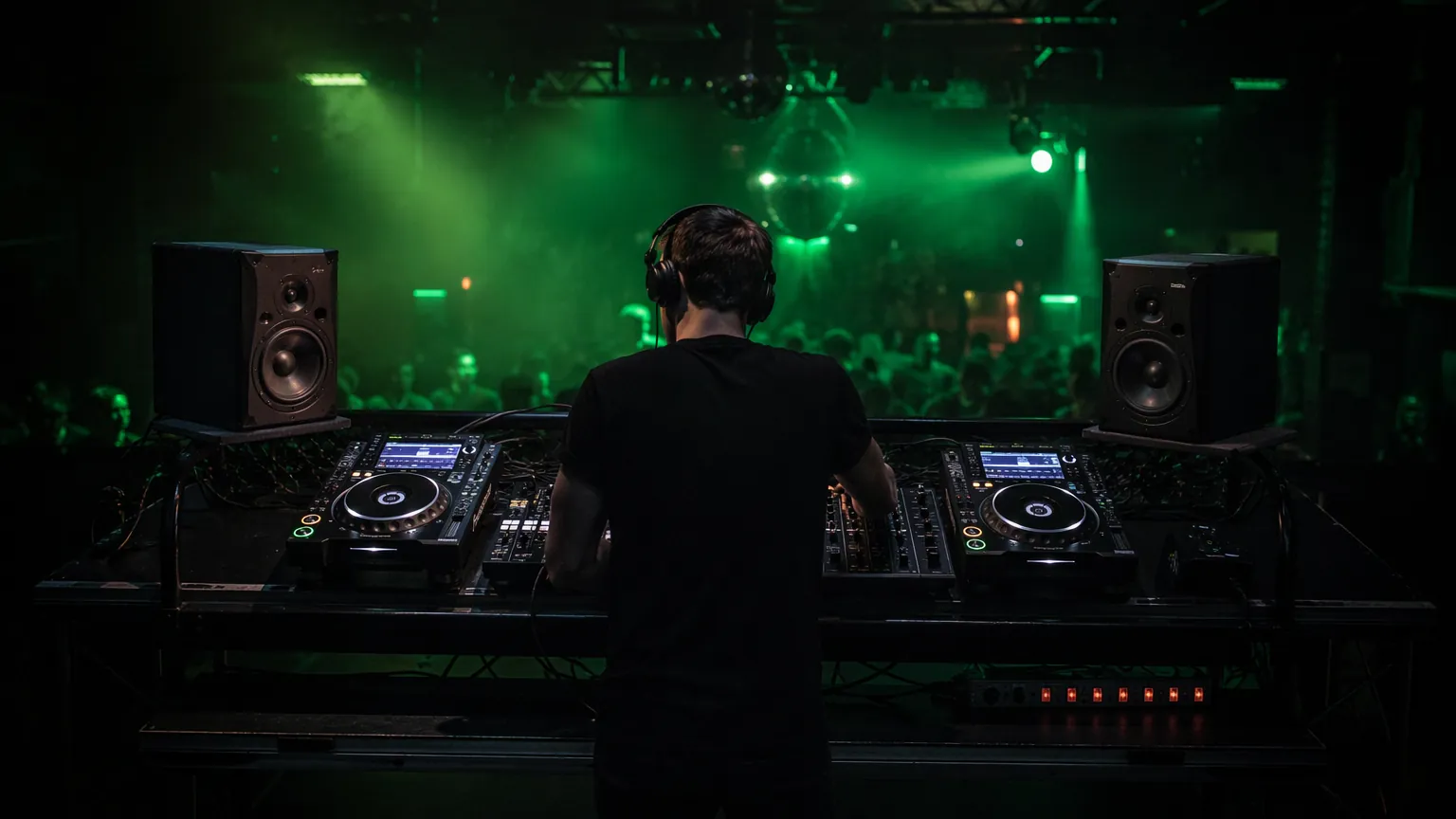
- Booth monitors belong at ear height, angled in, behind the DJ's head line.
- Risers over 30 cm need rails, ramps and cable management, not vibes.
- Soundcheck with the room empty, then again with bodies in it.
01 / PowerPower: the unglamorous foundation
A standard DJ booth (two media players, a mixer, a controller, monitors and a laptop) draws surprisingly little, often under 5 amps. The problem is rarely the amps on hand; it is what else shares the circuit. LED par cans, moving heads, fog machines and the venue's coffee machine all inject noise and sudden load onto shared lines. Dimmer racks are the worst offenders: they chop the AC waveform, and that chopping leaks into audio as a buzz you will chase all night.
The rule we work to: audio on its own circuit, lighting on another. In a hotel ballroom or a marquee, that means asking the venue or generator supplier for a dedicated 16A feed for the booth and PA, separate from the lighting distro. If you are running on a generator, ask for the audio to sit on its own phase. Three phase genny outputs let you isolate sensitive loads from motors and dimmers.
Conditioner, surge protector, UPS: know the difference
- Surge protector: protects against spikes. Minimum viable protection. Costs almost nothing.
- Power conditioner: filters EMI/RFI noise and regulates voltage sag. This is what kills the mystery hum and protects gear from a sagging generator. Rackmount units live permanently in our booth flight case.
- UPS: battery backup. Overkill for most DJ booths, a must if you are running a laptop based show or a media server for visuals where a 2-second dropout means a reboot in front of 500 people.
Before anything plugs in, test the outlet. A three light socket tester costs a few dollars and instantly tells you if the venue has wired live and neutral backwards: more common in older buildings and temporary installs than you would hope.
02 / MonitorsBooth monitors: placement is everything
Booth monitors exist so the DJ hears the mix accurately without the room's delay and reflections. Placed badly, they do the opposite. They smear the sound and tire the DJ's ears within an hour.
The geometry that works: monitors at ear height, roughly an arm's length away, forming an equilateral triangle with the DJ's head, angled inward 30–60 degrees. Put them on stands or isolation pads. Never directly on the booth table, where they vibrate the surface and muddy the low end. If the booth backs onto a hard wall, expect bass buildup; pull the monitors forward off the wall and keep the volume disciplined. Loud booth monitors are the number one cause of DJs mixing too loud for the room, because their reference is lying to them.
If the DJ keeps asking for "more monitor," the answer is often better placement, not more volume.
One more discipline: point booth monitors away from any live microphones on stage. A monitor bleeding into a vocal mic during speeches is how you get the squeal that empties a dinner crowd.
03 / The riserRisers and staging: the safety part
A booth on a riser looks better and reads as a stage. It introduces three real risks: trips, cable snags and structural wobble. Standard stage decks come in 20 cm, 40 cm, 60 cm and 1 m heights. Our default for DJ booths is 20–40 cm: high enough to read as a performance area, low enough that a step off the back is a stumble, not an injury.
- Level first. Adjustable feet exist for a reason. A wobbling booth table makes jog wheels lie and needles jump.
- Edge it. White gaffer or LED tape on the front edge and any steps. Drinks, low light and adrenaline guarantee someone will misjudge that edge otherwise.
- Rail the back on anything above 40 cm, especially if the DJ will step on and off during the set.
- Ramp the cables. Every cable crossing a walkway gets a rubber cable ramp or a taped mat. Gaffer alone on a public walkway is a trip claim waiting to happen.
04 / Signal pathSignal and cabling: build in redundancy
The signal chain between booth and PA should be balanced the whole way: XLR or TRS out of the mixer into the PA processor or active speakers. Unbalanced RCA runs longer than a couple of metres are an invitation to interference, especially wrapped around lighting cable. Keep audio and power runs physically separated; where they must cross, cross them at 90 degrees.
The spares bag that has saved our nights more than once:
- 2 × spare RCA cables and 2 × spare XLR (the exact lengths your chain needs)
- RCA to jack and jack to XLR adapters, both directions
- A DI box (the universal translator between a DJ mixer and a house PA)
- Spare USB sticks, formatted, with a backup playlist exported
- Gaffer, zip ties, a multitool and a torch
- Earplugs: yours, and a pair for the client who always asks
If the DJ runs Pioneer DJ media players, export the playlist to two sticks, not one, and keep the laptop out of the signal path unless it is the real performance instrument.
05 / SoundcheckThe two soundchecks
Run the booth at full show level with the room empty and walk the dancefloor: you are listening for rattles, dead spots and the balance between booth monitors and PA. Then (this is the step everyone skips) check again once bodies are in the room. A hundred guests absorb a surprising amount of high mid energy; a mix that sounded harsh in an empty room often lands perfectly once the room is full, and vice versa.
Forty minutes of this, every time, is what separates a production from a guy with speakers. The crowd never sees it. That is the point.
FAQBooth setup questions
How much power does a DJ booth need?
A typical booth with two media players, a club mixer and a pair of active monitors draws well under 5 amps. A single standard circuit is plenty. The main requirement is not amperage but isolation: the booth should not share a circuit with lighting, dimmers, or catering equipment.
Do I really need a power conditioner for a DJ setup?
For permanent club installs, yes. For one time events on unknown venue power or generators, absolutely yes. Conditioners filter the electrical noise that shows up as hum and protect gear from the voltage sags that cause mid set dropouts. A surge protector alone does neither.
How high should a DJ booth riser be?
20–40 cm is the practical sweet spot: visibly a stage, safely a step. Above 40 cm, add rear rails and proper steps, and budget time for edge marking and cable ramps.
How much space does a DJ booth need?
Plan for a table about 1.8 m wide and 0.75 m front to back, with roughly 2.5 m by 2 m of clear floor so the DJ can stand behind it. Speakers on stands need another metre on each side. Add more if the booth sits on a riser or shares the area with lighting stands.
How much does a DJ setup cost?
A starter controller with a pair of powered speakers costs roughly $1,000 to $2,000. A club standard pair of media players and a mixer costs more than $8,000 before speakers. Most mobile DJs land between those two figures, and rental is the cheaper route for a single event.